
Building a clean, powerful gaming setup doesn’t have to drain your wallet. In fact, with the right strategy, you can create a battle station that looks premium, feels comfortable, and performs well—all under $500.
Let’s break it down step by step so you can build a setup that looks like it costs twice as much.
🎯 Step 1: Set Your Budget Smartly
Before buying anything, divide your budget:
PC / Console: $250–$300
Monitor: $80–$120
Accessories: $50–$80
Lighting & Aesthetic: $20–$40
This keeps you from overspending in one area and ending up with an unbalanced setup.
🖥️ Step 2: Choose Your Core Setup (PC or Console)
If you're on a tight budget, go smart—not fancy.
Option A: Budget Gaming PC (Used or Entry-Level)
Look for second-hand builds
Minimum specs:
16GB RAM
SSD storage
Entry GPU (GTX 1650 or similar)
Option B: Console Setup
Used PS4 / Xbox Series S
Plug & play, no stress
👉 Tip: Buying used can save you 30–50% instantly.
🖼️ Visual Inspiration
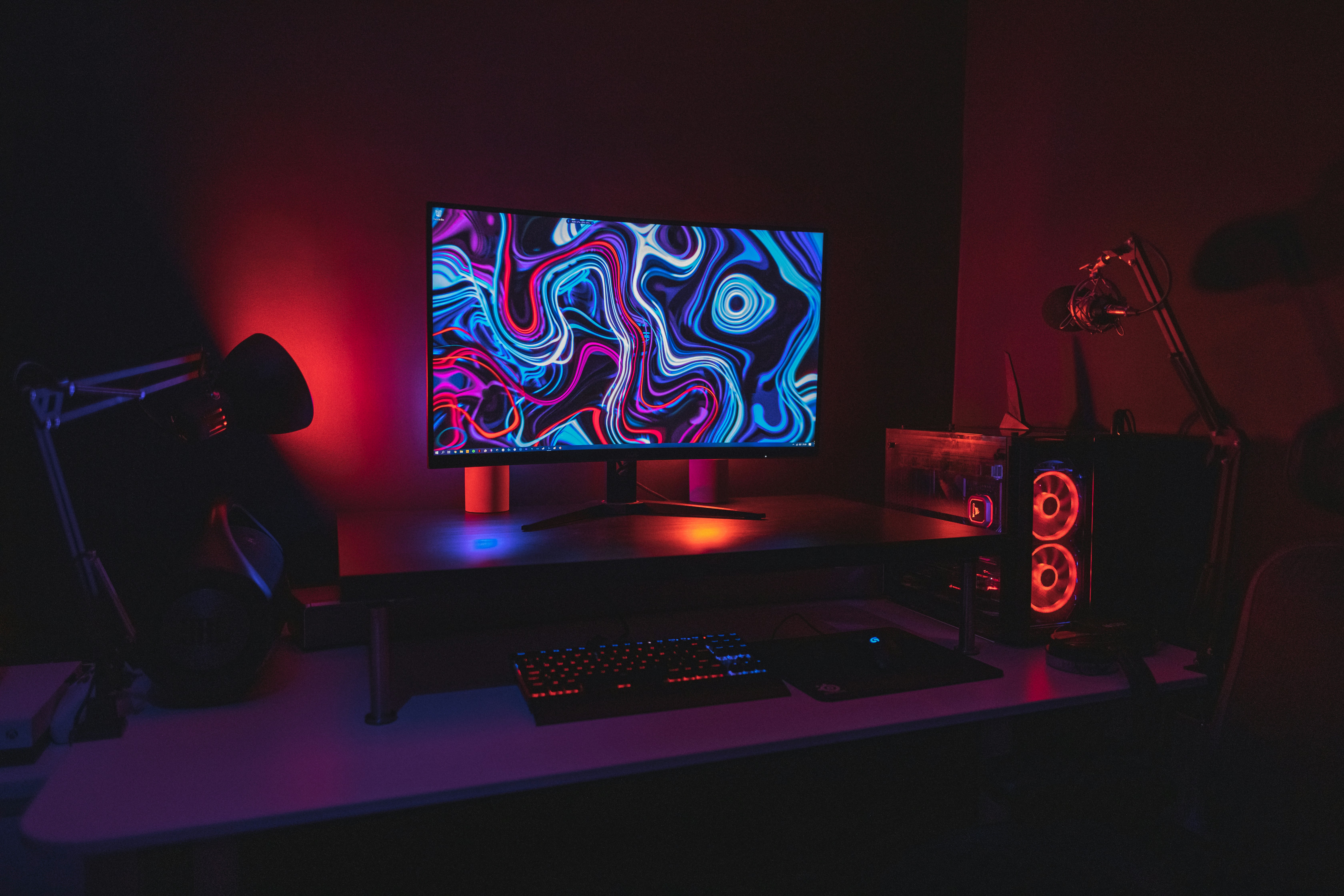
A clean and simple setup can already look premium with the right lighting.
🖥️ Step 3: Pick a Budget Monitor That Looks Premium
You don’t need a $300 monitor.
Look for:
22–24 inch size
75Hz or higher refresh rate
Thin bezels (important for aesthetics)
Budget brands often deliver great value here.
🎮 Step 4: Essential Accessories (Don’t Overbuy)
Keep it simple but clean:
Keyboard (mechanical feel if possible)
Gaming mouse
Large mousepad
Headset or basic speakers
👉 Pro tip: A $10 mousepad upgrade can instantly improve your setup look.
🪑 Step 5: Comfort = Long Gaming Sessions
You don’t need a “gaming chair.”
Better option:
Office chair with lumbar support
Add a small cushion if needed
Comfort beats branding every time.
💡 Step 6: RGB Lighting = Instant Upgrade
This is where your setup becomes aesthetic.
Add:
LED strip behind desk
Monitor backlight
Warm or neon tones
🌌 Visual Example

Lighting alone can transform a basic desk into a next-level gaming station.
🧹 Step 7: Clean Cable Management
Messy cables = messy vibe.
Use:
Cable clips
Velcro ties
Under-desk cable tray
Clean setups always look more expensive.
🧱 Step 8: Desk Setup Matters
You don’t need an expensive desk.
Options:
Simple wooden table
IKEA-style desk
Even a refurbished table
Focus on:
Enough space
Clean surface
Stability
🎨 Step 9: Add Personality
Now make it yours.
Posters or wall art
Small plants
Action figures
Minimal decor
Don’t overdo it—keep it balanced.
🧠 Step 10: Think Like a Designer
The secret isn’t money—it’s taste.
Stick to:
2–3 main colors
Clean layout
Symmetry
This is what makes your setup look “expensive.”
💸 Sample Budget Breakdown
| Item | Budget |
|---|---|
| PC / Console | $280 |
| Monitor | $100 |
| Accessories | $70 |
| Lighting & Decor | $30 |
| Total | $480 |
🚀 Final Thoughts
You don’t need thousands of dollars to build an amazing gaming setup. With smart choices, clean design, and a bit of creativity, you can build a battle station that looks like it belongs on Pinterest.
Start small. Upgrade over time. And most importantly—build something you’re proud of.
Posting Komentar untuk "How to Build the Perfect Battle Station for Under $500"